- Text-only checklists create the potential for cleaners to mark tasks complete without actually finishing them.
- A photo-verified inspection process requires timestamped, real-time photos of important cleaning tasks, which creates a clear record of completed work.
- Modern vacation rental inspection software can turn reported cleaning problems into maintenance work orders right away.
- Automated room assignments help managers assign cleaners based on guest check-outs, staff locations, and cleaning priorities.
Have you ever walked into a rental unit marked as clean, only to find an unemptied kitchen trash bin or hair in the shower? Paper checklists and basic digital checkboxes may look helpful, but they do not prove that a property is actually clean. For busy hospitality operators, vacation rental inspection software helps close the gap between trusting your team and knowing the work is complete. By requiring timestamped photos of important cleaning tasks, you can reduce guesswork and create a clear record of every property turnover.
Managing multiple properties can make turnovers even more challenging. ResortCleaning helps bring these tasks together in one place, making it easier to manage cleaning schedules, inspections, and property maintenance. When teams use photos to verify their work, managers can spot problems sooner, respond to guest concerns faster, and protect their property's reputation.
Why are text-only cleaning checklists unreliable?
Text-only cleaning checklists are unreliable because they do not provide visual proof that a task was completed. They also make it easier for cleaners to mark tasks as finished without doing the work. A checkmark only shows that someone marked a task complete. It does not show whether a room was cleaned properly. Without photos, property managers have no easy way to confirm that surfaces were wiped, bathrooms were sanitized, or guest amenities were set up correctly. Text-only checklists can also miss property damage, missing supplies, and small maintenance problems. These missed details can lead to:
- Cleaning tasks being overlooked.
- Guest complaints at check-in.
- Extra cleaning costs and repeat visits.
- Disagreements between staff and managers.
- Damage to your property's reputation.
When turnover windows are short, cleaners may feel rushed to finish their assigned properties. A paper checklist or basic mobile checkbox makes it easy to mark a task complete without providing proof. However, using standard inspection steps along with visual proof can help reduce overlooked problems, and taking photos during inspections helps protect both your staff and your business. Paper checklists also create extra work for managers, as supervisors must collect forms, enter notes into other systems, or send text messages to find out whether a property is ready. Replacing paper forms with a dedicated cleaning inspection app gives your team an organized digital record. Front desk staff and managers can check cleaning progress in seconds instead of tracking down paperwork or making phone calls.
What is a photo-verified inspection workflow?
A photo-verified inspection workflow is a cleaning process that requires staff to submit real-time, location-tagged photos of important tasks before marking a property ready for guests. Instead of relying on checkmarks alone, this process asks cleaners and inspectors to provide photos of key areas, such as:
- Freshly made beds.
- Clean and sanitized bathrooms.
- Clean refrigerator interiors.
- Restocked guest supplies and amenities.
The software records when each photo was taken and stores it in the property's digital inspection history. This gives managers a clear record of completed work and helps keep cleaning standards consistent across multiple properties. It also provides useful proof if a guest questions the cleanliness of a unit.
A good photo inspection process does not require a picture of every corner or surface. The goal is to capture the areas that matter most without slowing down your cleaning team. To make inspections more effective, managers should create clear photo guidelines for their teams. These guidelines should explain which areas need photos and what a properly cleaned space should look like. ResortCleaning helps property managers set up photo requirements that match their properties and cleaning standards. You can also maintain consistent expectations across multiple locations with brand standard management tools.
How does housekeeping software assign rooms to staff automatically?
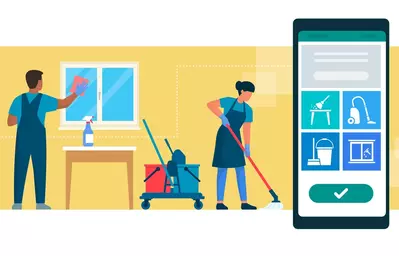
Housekeeping software can assign rooms automatically by connecting to your property management system. It tracks guest check-outs, reservations, and cleaner availability to help managers organize daily cleaning tasks. When a guest checks out, the software can detect the change in reservation status and create a new cleaning task. It can then consider factors such as:
- Which cleaners are closest to the property.
- Each cleaner's skills and assigned workload.
- Which properties need attention first.
- Staff availability and cleaning priorities.
Once a task is assigned, cleaners receive a notification on their mobile devices. They can view property details, access codes, and cleaning checklists without waiting for a manager to call or send a text. Manual scheduling takes up valuable time, especially during busy turnover periods. Supervisors may spend hours texting cleaners, updating spreadsheets, and answering calls from the front desk about room readiness. Using housekeeping scheduling software helps reduce this workload by organizing daily cleaning assignments in one place.
How do you handle maintenance issues found during a cleaning?
You can handle maintenance issues more quickly by giving cleaners mobile inspection tools that let them take a photo of a problem and create a work order right away. Cleaners are often the first people to notice problems inside a rental property, such as a leaking sink, a running toilet, a broken air conditioner, or damaged patio furniture while preparing a unit for the next guest. Without a digital reporting system, these problems may be shared through text messages or phone calls. Important details can get lost, leaving managers unaware of an issue until a guest reports it. With mobile inspection software, cleaners can report problems directly through the inspection process. The system can:
- Attach a photo of the problem.
- Record the room or area where it was found.
- Create a maintenance request.
- Send an alert to the right maintenance team.
This helps maintenance staff understand what needs attention and gives managers a way to track repairs. Urgent problems can be addressed before the next guest arrives. With ResortCleaning, maintenance alerts create a digital record that managers can follow from the time a problem is reported until the repair is complete.
How do inspection workflows streamline hotel and resort turnovers?
Inspection workflows make hotel and resort turnovers easier by giving staff a clear process to follow: assign, clean, inspect, photograph, report problems, make corrections, and confirm the work is complete. Large properties face tight deadlines during busy weekends and peak travel seasons. Without a clear system, it can be difficult for managers to know which rooms are ready and which still need attention. A mobile hotel housekeeping app gives executive housekeepers and supervisors a central place to track room readiness. Instead of checking each room in person, managers can view cleaning and inspection updates from a dashboard. This helps prevent front desk delays and allows supervisors to focus on rooms that need extra attention. A good inspection process also helps everyone stay informed. Managers can quickly see:
- Which rooms are being cleaned.
- Which rooms are waiting for inspection.
- Which rooms need additional work.
- Which rooms are ready for arriving guests.
Digital inspection records also help managers understand how their operations are performing. They can review cleaning team performance, monitor supply usage, and identify maintenance problems that happen repeatedly. Clear expectations also help cleaners take pride in their work. When employees know what is expected and can see that their work is being documented, it becomes easier to maintain consistent cleaning standards.
Ditch the Checkboxes: Try a Photo-Verified Workflow
Relying on checklists without visual proof can put guest satisfaction at risk. When managers cannot verify completed work, small cleaning problems can turn into guest complaints, repeat visits, and unnecessary expenses. A photo-verified inspection process gives your team a better way to document cleaning tasks, report maintenance issues, and track property readiness. It also helps managers spend less time chasing updates and more time improving daily operations. Ready to make property inspections easier and more reliable? Book your personalized ResortCleaning demo right here to see how the software can help your team manage cleaning and inspections with greater confidence.