
- Smart lock access for housekeeping staff links credentials to turnover schedules, eliminating the risks of shared physical keys or permanent codes.
- Task-triggered access control activates door codes only when a cleaning job starts and expires them upon task completion.
- Connected locks record real-time entry and exit timestamps, giving managers a record for cleaner verification, turnover tracking, and payroll.
- Modern operations platforms sync credentials with property management systems to revoke and reassign digital keys instantly when schedules change.
Managing turnover days across vacation rentals or hotels often creates operational stress. Managers waste hours texting door codes, tracking lost keys, or wondering if cleanings finished on time. Providing secure smart lock access for housekeeping staff solves these headaches by pairing door locks directly with scheduled tasks, making entry automatic, trackable, and safe. On busy turnover days, managing dozens of properties with manual keys creates chaos. By using automated housekeeping scheduling software, unique digital keys are sent directly to a technician's mobile screen only when a guest checks out, protecting assets and streamlining operations.
What is Task-Triggered Access Control for Housekeeping?
Task-triggered access control is an operational security framework where electronic door lock credentials are generated, activated, and revoked based on the status of assigned work orders. Instead of giving staff master keys or permanent keycodes, the software coordinates with the property management system to create a unique code for each cleaner. The code activates only during the scheduled cleaning window and deactivates the moment the worker marks the turnover complete. This method stops unauthorized re-entry, protects guest privacy, and creates a clear audit trail for every property entry event.
Pro Tip: Never share static master pins across an entire team. Individual task-bound codes isolate liability and protect your properties if keys are compromised.
How Do Housekeepers Get Smart Lock Access?
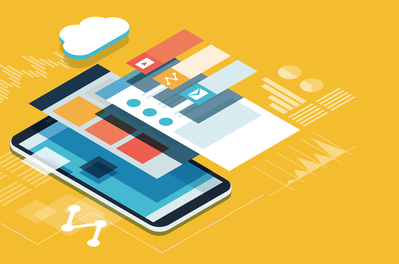
Housekeepers get smart lock access through an automated workflow that sends unique, time-bound digital credentials directly to their mobile devices. When a property manager assigns a room clean in the operations portal, the system syncs with the smart lock to generate a secure PIN or digital key. Cleaners view their unique code inside the mobile application right before their shift begins. Once the housekeeper completes their cleaning checklist and clocks out, the access code deactivates automatically, preventing any further entry without manual manager intervention.
Cleaners no longer need to call managers for entry instructions. Through a dedicated hotel housekeeping app, staff receive their daily schedule, property notes, gate codes, and unit door access in one place.
Here is how the automated credential process works step-by-step:
- Booking Confirmation: The property management system (PMS) updates the checkout date and time.
- Task Generation: Housekeeping software creates a turnover task and assigns it to a cleaner.
- Credential Creation: The lock integration generates a dynamic entry code tied to that cleaner.
- Mobile Delivery: The code appears in the cleaner's mobile task dashboard as the arrival window opens.
- Automatic Expiration: The code expires when the cleaner submits the completed room inspection.
Can Smart Lock Codes Be Limited to a Specific Cleaning Window?
Yes, smart lock codes can be strictly limited to a specific cleaning window by synchronizing reservation checkout times with staff shift schedules. Advanced access software activates cleaner codes only after a guest has officially checked out, preventing awkward early arrivals. The code remains active solely during the assigned service window, such as 10:00 AM to 3:00 PM. If the clean is delayed, managers can extend the window remotely through the dashboard without needing to visit the property or issue a physical replacement key.
How to Track When a Cleaner Enters a Vacation Rental?
To track when a cleaner enters a vacation rental, operators use connected smart locks that log time-stamped entry events and push real-time alerts to the central software dashboard. When a housekeeper enters their assigned pin at the door, the lock transmits an unlock event to the system. This log confirms arrival time, records how long the cleaner remained on site, and documents lock engagement when they leave. Managers gain total visibility into property turnover progress without making phone calls or sending dispatch messages.
Our testing revealed that audit logs deliver three major operational benefits:
- Automated Payroll Verification: Compare smart lock entry and exit stamps against cleaner timecards to eliminate billing discrepancies.
- Guest Dispute Resolution: Prove housekeepers were not inside the unit during guest occupancy windows.
- Turnover Status Tracking: Spot delayed cleanings early before arriving guests encounter unfinished rooms.
Take the Stress Out of Property Turnovers
Automating smart lock access for housekeeping staff protects properties, cuts administrative overhead, and keeps turnovers on schedule. ResortCleaning serves as your central command center, linking door hardware, schedules, and payroll into one dashboard. Get a demo of our software for your housekeeping staff right here!